A Wrinkled Sheet, Two Cats, and the Hunt for a White Background
I wanted a pumice stone I could put on a drill. I couldn’t find the tool I had in mind, so I made it. The first time I put TurboStone up for sale, I kept second-guessing the price. I’d spent all that time getting the stone to hold up better, and I was still figuring out what I could ask somebody to pay for it.
I started on Facebook Marketplace. Fast-forward a thousand versions, give or take. I’d tried a few places to sell it, and every time I figured out something I could do better, I went back and changed it. By mid-November, about a month after my first Amazon sale, people had ordered more than 20 TurboStones there. I hadn’t run Amazon ads or hired anybody to take the pictures. That felt pretty damn good.
I’d told myself three or four times I was going to send a batch to Amazon so it could ship with Prime. I’d done the warehouse thing with Walmart before, and I kept improving the stone after I’d already sent kits in. I didn’t want to do that again. This time I was happy with the stone and the way the adapter locked in. The stuff I kept fussing with was the box, how to keep everything from rattling around, and a black border so the instruction card wouldn’t disappear in a photo.
I want to sell TurboStone worldwide someday, and I wanted people to see what they’d actually get. I’d just gotten these three-inch vinyl stickers, too. For your toolbox, or wherever you want to show a little TurboStone pride. No sense in hiding all of this fancy, cool stuff that I put time into. The photos were the last big thing I wanted to get right. So I went looking for a bedsheet.
Who would’ve thought I’d be ironing a sheet for product photos?
I dug out the white king-size sheet I’d used for my mom’s Etsy products. I threw it in the dryer, tried a blow dryer on the stubborn wrinkles, then finally got out the iron. The iron worked pretty dang well. It didn’t get every wrinkle, but I figured a fold here or there looked like what it was: a real sheet in somebody’s kitchen.
I rigged it around the rectangular light fixture over the island and curved it behind the stone. I liked the warmth from the Edison bulbs, but the sun was making the creases stand out, so I pulled the shade down to soften the daylight.
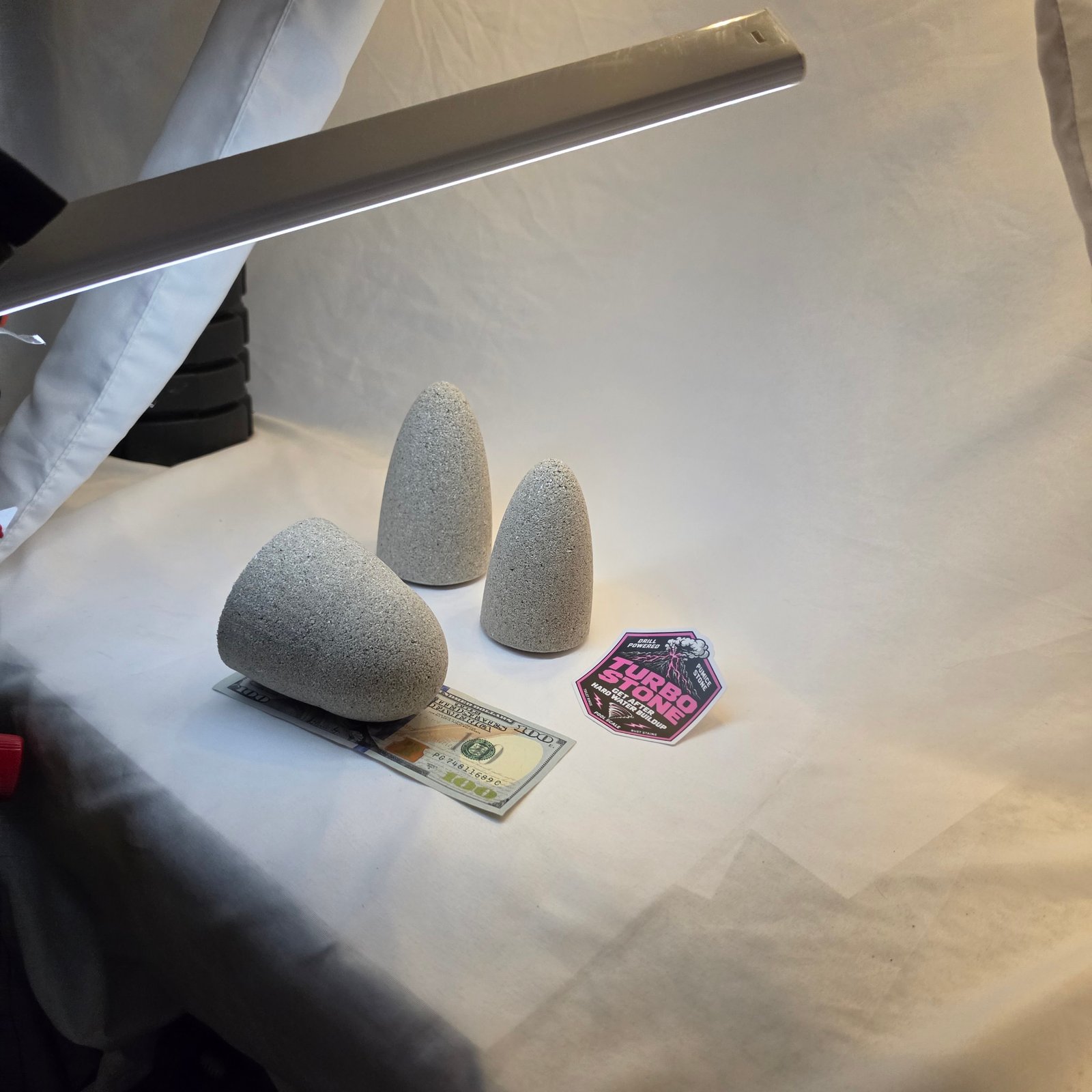
The sheet made a nice little cave. A big fluffy cat tried to move in, and then another one volunteered. Somehow I didn’t get a picture of either of them.
How a real photo ended up looking less real
I shot all three shapes within about a minute, under the same light. I wanted the black adapter to look the same size in every shot, so you could flip from Classic to XL to Wide and see what was actually bigger instead of wondering if I’d just zoomed in.
Amazon wants a pure white background on the main image. I spent hours comparing background hex codes, highlights, shadows, and warmth. At one point I realized I was comparing the edit to Amazon’s white on a different monitor. Even once I moved them onto the same screen, by the time I liked the background, the XL and Wide looked too blue.
I’d taken those photos myself. The bulbs I turned on, the shade I pulled down, and the settings I used all changed what the stone looked like on screen. Moving the warmth slider changes the color. A generative edit can go further. One preview looked good as a thumbnail, but at full size the grit looked soft. Another took a little bite out of a cone. I make the stone. I know what that edge ought to look like.
Where I draw the line
One of my favorite uses for AI is getting through a customer service chat. I can explain what quit working, go back to whatever I was doing, and get an update when there’s an answer or a decision I need to make. I’ve gotten a handful of things handled that I’d been putting off because I didn’t want to burn half an hour waiting for someone to type back.
Somebody looks at a kite and sees a fake bird. I look at it and think, could I hang a camera off that thing and map my orchard? That’s about how I look at AI. I put pumice on a drill because I wanted some help with the scrubbing. I wanted some help with the white background, too. In both cases, I care where the tool touches.
For these pictures, the instruction was simple:
Change the background to pure white. Leave the stone and adapter alone. Don’t redraw, resize, recolor, or smooth them.
Saying that in a prompt doesn’t prove the tool did it. What worked was going back to the warmer camera photos, masking the product, and putting white behind the original stone and adapter. We checked the edges at full size and spot-checked pixels inside the stone against the source.
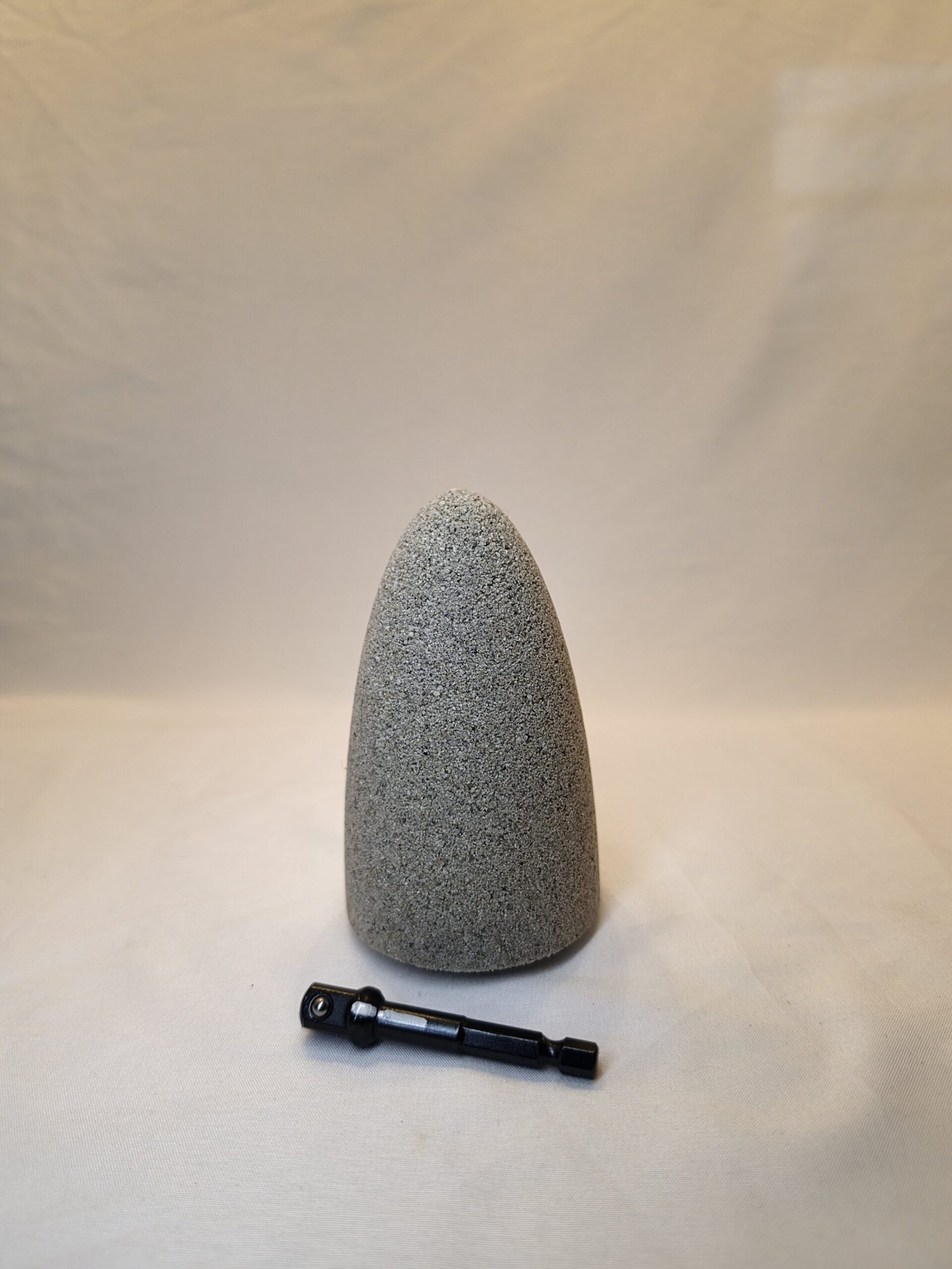
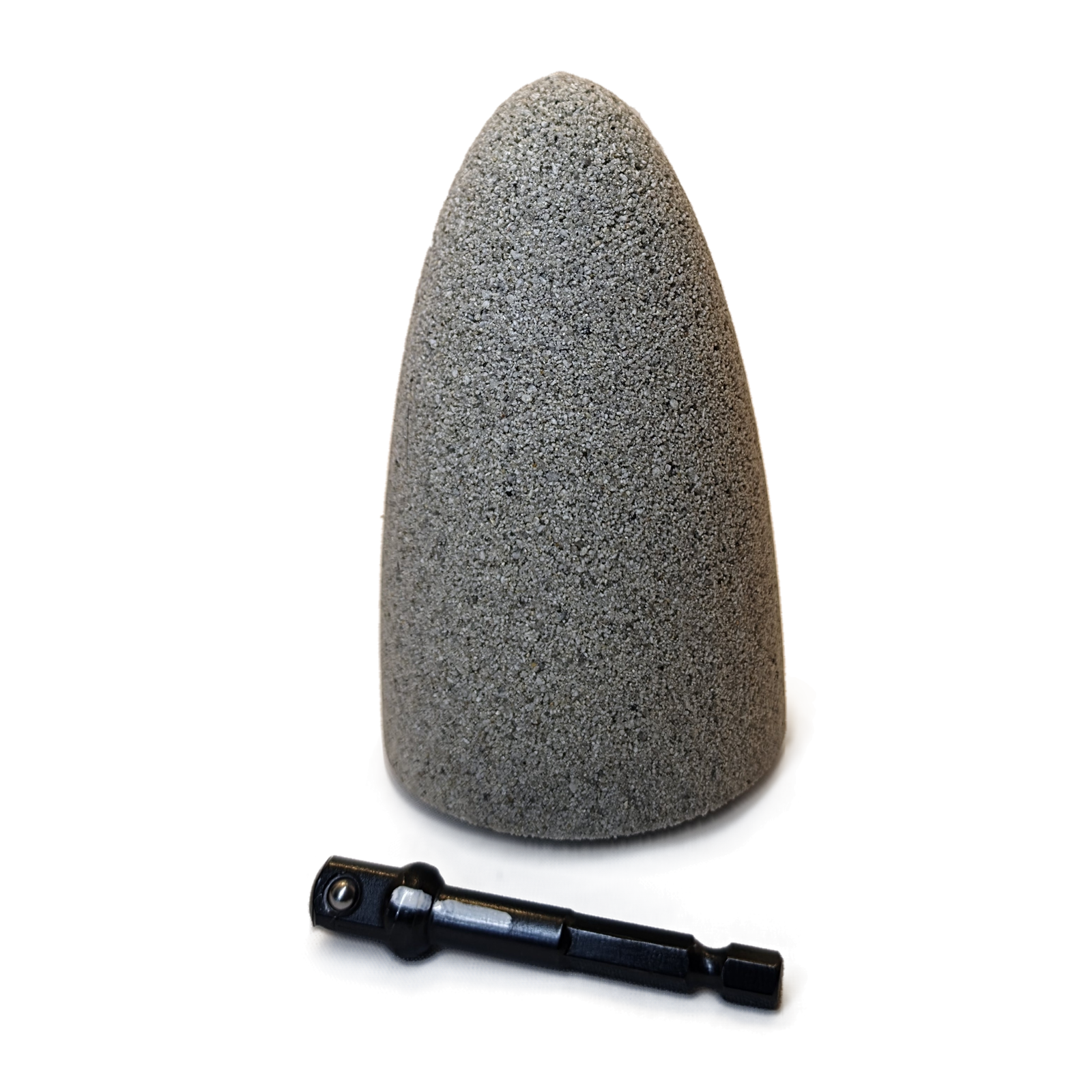
The XL, before and after
Look at the grit, then look at the background. If that still looks like the stone I put on the counter, I got what I came for.
Next time, I’m taking the cat picture first.